
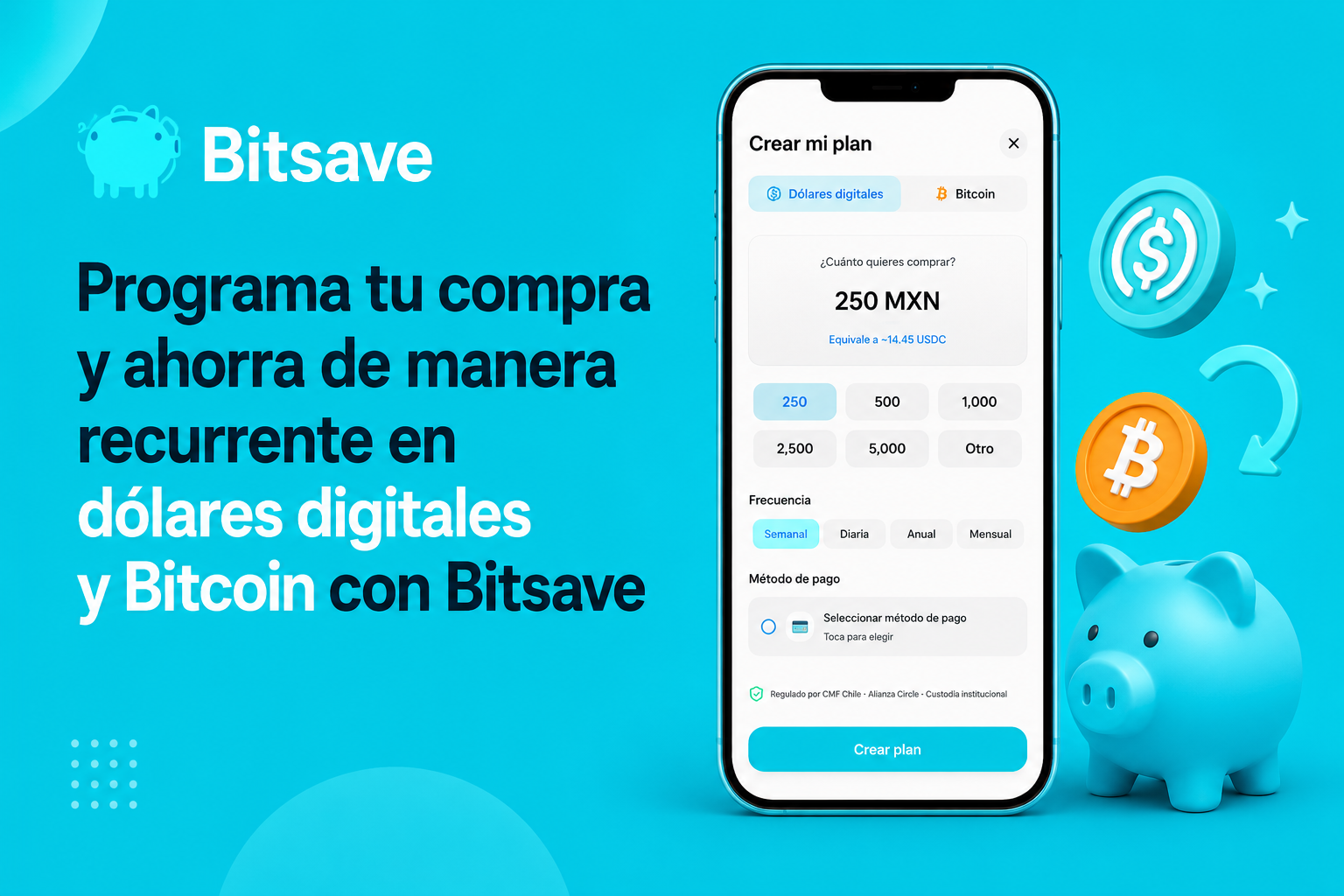
What does it mean to schedule a purchase?
It means you can tell the app:
“Every week he buys $500 pesos”
either
“Every fortnight you buy USDC automatically”
And the system executes it for you.
Why do so many people use automatic savings?
Because it eliminates emotional decisions.
Instead of:
Try to guess the market
Wait for the perfect moment
Remember manually
…you just build the habit.
This is how it works in Bitsave
Step 1: Download the app
Step 2: Create your account
If you don't have an account yet:
👉How to create your Bitsave account step by step
Step 3: Go to “Your Plan”
Within the app you will find a section designed for automatic savings.
There you can:
Choose amount
Frequency
Asset
Payment method
What can you program?
You can automate purchases of:
USDC
Bitcoin
USDT
Other assets available in the app
You choose how often to buy
For example:
Diary
Weekly
Monthly
Annual
You choose how much
You don't need large quantities.
Many people start with:
$250 pesos
$500 pesos
$1,000 pesos
The idea is to build consistency.
What happens next?
The app automatically executes purchases based on your settings.
So you can:
Save little by little
Build Exposure Gradually
Avoid impulsive decisions
Why do many people combine this with digital dollars?
Because USDC maintains a close reference to the US dollar.
Some people use it to:
Protect part of your savings
Avoid having everything in pesos
Maintain digital balance in dollars
👉How to save in dollars from Mexico
And why do other people use Bitcoin regularly?
Because they prefer to accumulate little by little instead of trying to guess the market.
This is typically known as:
DCA (Dollar-Cost Averaging)
👉DCA Strategy: When Nobody Talks About Bitcoin
How are automatic purchases paid?
Depending on the configuration, you can use:
Card
Apple Pay
Google Pay
PayPal
Payment Market
SPEI
👉How to buy on Bitsave: card, Apple Pay, Google Pay and more
The important thing is not “timing”. It's consistency.
Many users believe that they need:
Enter at the perfect moment
Expect falls
Check daily prices
But many savings strategies work more through discipline than timing.
Does this guarantee profits?
No.
It is important to understand that:
Digital assets can go up or down
There are no guaranteed returns
Every investment involves risks
Recurring savings only automates the strategy.
Why does automation help so much?
Because it turns saving into a habit.
Instead of thinking:
“If I have extra money I save”
…the system does it automatically.
Quick summary
In the app you can configure your recurring purchase from “Your Plan”, choose amount, frequency and asset.
Bitsave is responsible for executing the purchase automatically according to the configuration you choose.
With “Your Plan” you can:
Schedule automatic purchases
Save periodically
Buy USDC, Bitcoin and more
Use simple payment methods
Build long-term consistency
👉Start your automatic plan on Bitsave
References
[1] Investopedia. “Dollar-Cost Averaging (DCA).”
https://www.investopedia.com/terms/d/dollarcostaveraging.asp
[2] Circle. “USDC Transparency and Reserves.”
https://www.circle.com/transparency
[3]Bitcoin.org
https://bitcoin.org/
Important notice
This content is informational and does not constitute financial, tax or legal advice.
Digital assets involve risks and may fluctuate in value.
Recurring savings strategies do not guarantee future returns.
Virtual assets are not legal tender in Mexico and are not backed by the Federal Government.